
Time Zone Differences: A Guide for Remote Workers
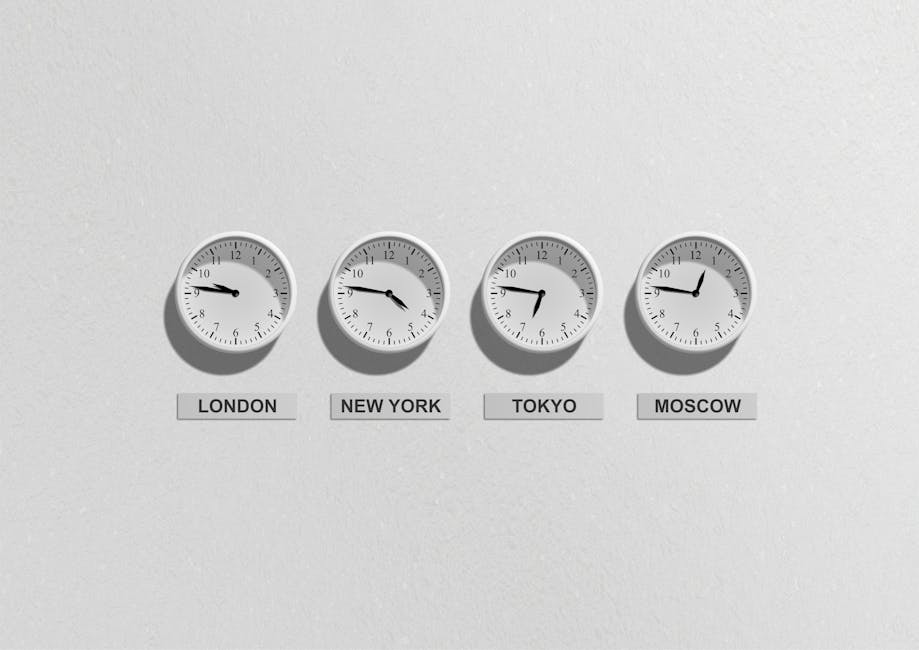
The rise of remote work has transformed time zones from an occasional travel consideration into a daily operational challenge. If your team spans New York, London, and Tokyo, finding a meeting time that does not force someone to set a 3 AM alarm requires more than good intentions -- it requires understanding how time zones work and developing strategies to make global collaboration effective. This guide covers the fundamentals of time zones, the complications introduced by daylight saving time, and practical approaches for remote teams.
How Time Zones Work
The Earth rotates 360 degrees every 24 hours, which means it moves 15 degrees per hour. Time zones were created in the 19th century to standardize timekeeping as railroads and telegraphs connected distant cities. The basic concept is simple: the world is divided into 24 zones, each approximately 15 degrees of longitude wide, and each one hour apart.
In practice, time zone boundaries follow political borders rather than neat longitudinal lines. China, for example, spans five geographical time zones but uses a single time zone (UTC+8) for the entire country. India uses a half-hour offset (UTC+5:30), and Nepal uses a 45-minute offset (UTC+5:45). These irregularities reflect national identity and administrative convenience rather than astronomical reality.
UTC and GMT: The Reference Points
UTC (Coordinated Universal Time) is the primary time standard by which the world regulates clocks. It is essentially a modern, more precise version of GMT (Greenwich Mean Time), which is based on the mean solar time at the Royal Observatory in Greenwich, London.
All time zones are expressed as offsets from UTC:
- UTC-5: Eastern Standard Time (New York, Toronto)
- UTC+0: GMT (London, Dublin, Lisbon -- during winter)
- UTC+1: Central European Time (Paris, Berlin, Rome)
- UTC+8: China Standard Time (Beijing, Singapore, Perth)
- UTC+9: Japan Standard Time (Tokyo, Seoul)
- UTC+10: Australian Eastern Standard Time (Sydney, Melbourne)
When scheduling across time zones, always reference UTC as your common language. Our Time Zone Converter makes it easy to see what time it is in any city worldwide and find overlapping work hours.
The Daylight Saving Time Complication
If time zones were challenging enough on their own, daylight saving time (DST) adds another layer of complexity. During DST, clocks are moved forward one hour in spring ("spring forward") and back one hour in fall ("fall back").
The complications arise because:
- Not all countries observe DST. Japan, China, India, and most countries near the equator do not change their clocks. Only about 70 countries use DST.
- DST dates vary by country. The US and Canada change clocks on the second Sunday of March and the first Sunday of November. The EU changes on the last Sunday of March and the last Sunday of October. These differences create a few weeks each year when time differences between countries temporarily change.
- Southern hemisphere seasons are reversed. When the Northern Hemisphere "springs forward" in March, Australia and Brazil may be "falling back" or have already done so, temporarily narrowing or widening the time gap.
For example, New York is normally 5 hours behind London. But for three weeks in March (after the US changes clocks but before the UK does), the difference is only 4 hours. These shifts catch remote teams off guard every year.
The International Date Line
The International Date Line runs roughly along the 180-degree meridian in the Pacific Ocean. Crossing it eastward subtracts a day; crossing westward adds one. This means that places just west and east of the line can be nearly a full day apart despite being geographically close. Kiribati, for instance, sits on both sides and spans UTC+12 to UTC+14, making it simultaneously the earliest and one of the latest time zones on Earth.
For remote workers, the date line primarily matters when scheduling with colleagues in the Pacific region. Always verify the date as well as the time when coordinating across the date line.
Strategies for Remote Teams Across Time Zones
Successfully managing a distributed team requires intentional strategies:
Find the Overlap
Identify the hours when all team members are available during reasonable working hours (roughly 8 AM to 6 PM local time). For a team spanning US Eastern and Central European time, this might be 9 AM to noon Eastern (3 PM to 6 PM CET). Reserve this precious overlap time for live meetings and real-time collaboration. Use our Time Zone Converter to identify these windows.
Embrace Asynchronous Communication
Not everything requires a live meeting. Teams that work well across time zones master asynchronous communication:
- Write detailed messages and documentation instead of relying on verbal updates.
- Record important meetings so absent team members can watch later.
- Use project management tools that provide status visibility without requiring real-time check-ins.
- Set clear expectations for response times (e.g., within one business day).
Rotate Meeting Times
If no single meeting time works well for everyone, rotate the inconvenience. This month's standup at 8 AM Pacific / 11 PM Tokyo becomes next month's standup at 5 PM Pacific / 10 AM Tokyo. No one team member should consistently bear the burden of attending meetings at unreasonable hours.
Use Shared Calendars with Multiple Time Zones
Configure your calendar application to display multiple time zones simultaneously. Most calendar apps support this feature and it eliminates the mental math of converting times. When sending meeting invitations, include the time in all relevant zones.
Plan Around Key Dates
Use our Working Days Calculator and Date Difference Calculator to plan project timelines that account for different national holidays, weekends (which fall on different days in some Middle Eastern countries), and DST transitions. Our Project Timeline Calculator can help you map out milestones across different team locations.
Tools and Best Practices
- World clock applications: Keep a world clock widget on your desktop showing team members' local times.
- Scheduling tools: Services that show available slots across time zones eliminate back-and-forth scheduling emails.
- Clear time notation: Always specify the time zone when communicating times. "Let's meet at 3 PM" is ambiguous; "Let's meet at 3 PM EST / 8 PM GMT" is clear.
- Status indicators: Use messaging app status to show your current availability and working hours.
Conclusion
Time zones are an unavoidable reality of our globally connected world, and remote work has made them a daily consideration for millions of professionals. By understanding how time zones work, anticipating DST complications, and implementing thoughtful team practices, you can turn time differences from a frustration into a strength -- with team members handing off work around the clock for true 24-hour productivity. Start by checking your team's time differences with our Time Zone Converter, and explore our Working Days Calculator to plan your next cross-timezone project.